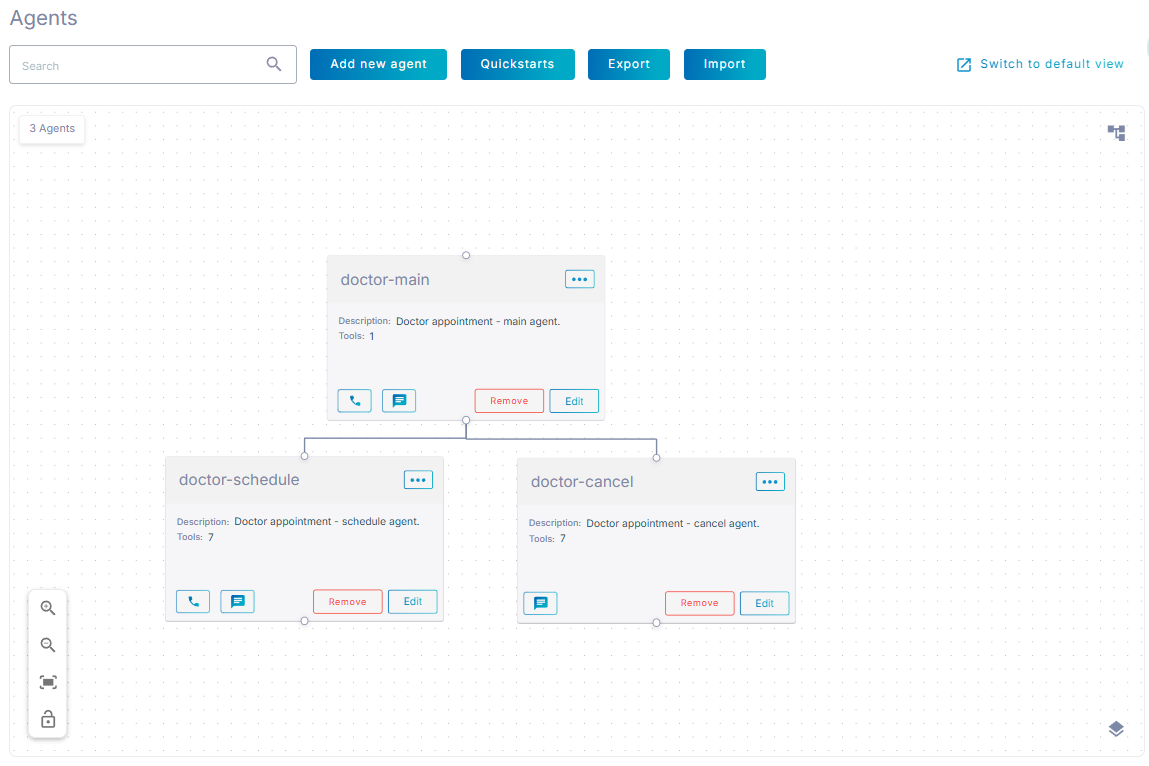
Create multi-agent topologies
To create a multi-agent topology:
- Create multiple agents that will participate in the same conversation.
- Choose the agent that will start the conversation, and click Edit.
- In the 'Sub-agents' tab,
- Select the 'Orchestration mode' drop-down list, as described in Multi-agent orchestration modes
- In the ‘Sub-agents’ list add sub-agents that specific agent can communicate with. The list may include both agents and flows – a flow added here becomes a sub-flow, as described in Using flows as sub-agents.
For even more complex multi-agent topologies, you can add sub-agents to sub-agents. For more details, see Agent hierarchy.
Alternatively, you may switch to canvas view and draw connections between agent cards. Each connection represents an entry in sub-agents table of the corresponding parent agent.